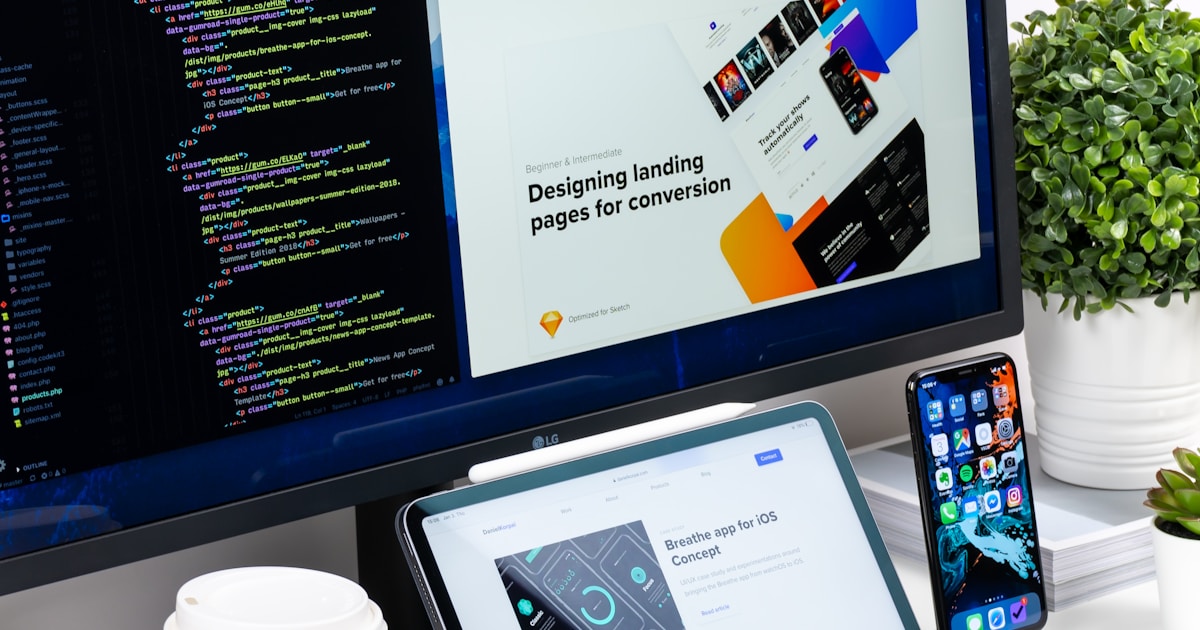
Here’s a statistic that should keep every business owner up at night: visitors form an opinion about your website in 0.05 seconds. That’s 50 milliseconds. Faster than a blink.
In that sliver of time, potential customers are deciding whether your business looks legitimate, whether they trust you, and whether they’ll stay or hit the back button and visit your competitor instead. Your website isn’t just a digital brochure — it’s the first handshake, the first impression, and often the deciding factor in whether someone chooses to do business with you.
So what exactly are customers noticing in those critical moments? And what keeps them engaged once they decide to stay? After building websites for dozens of small businesses, we’ve identified the 15 things that matter most. Some are obvious. Others might surprise you. All of them are things you can improve starting today.
Want to see how your current site stacks up? Run it through our free website grader tool for an instant assessment of your site’s performance, SEO, and usability.
1. Load Speed
This one comes first because it literally determines whether anything else on this list even matters. If your site takes more than 3 seconds to load, 53% of mobile visitors will leave before they see a single word of your content.
Your customers won’t wait. They have dozens of other options a single tap away. A slow site doesn’t just frustrate visitors — it tells them your business doesn’t care about their time.
How to Improve It
- Compress your images — This is the most common culprit. Use WebP format and ensure images are sized appropriately (a hero image doesn’t need to be 5000 pixels wide)
- Choose quality hosting — Cheap shared hosting often means slow load times. It’s worth investing in reliable hosting
- Minimise unnecessary scripts — Every plugin, widget, and tracking code adds weight. Remove anything you’re not actively using
- Use a content delivery network (CDN) — This serves your site from servers closer to your visitors
- Test regularly — Use Google PageSpeed Insights (free) to check your speed and get specific recommendations
2. Mobile Responsiveness
More than 60% of web traffic now comes from mobile devices. Your customers are browsing your site on phones while waiting in line, sitting on the bus, or lying on the couch. If your site doesn’t work beautifully on a small screen, you’re alienating the majority of your potential customers.
Mobile responsiveness doesn’t just mean “it technically loads on a phone.” It means the experience is genuinely good:
- Text is readable without pinching and zooming
- Buttons are large enough to tap with a thumb
- Navigation is intuitive on a small screen
- Images resize properly
- Forms are easy to complete
- No horizontal scrolling required
How to Improve It
Open your website on your phone right now. Try to complete the most important action (call you, fill out a form, find your services). If anything feels clunky, it needs fixing. Modern websites should be built mobile-first, meaning the mobile experience is designed before the desktop version.
3. Clear Navigation
When someone lands on your website, they have a question: “Can this business help me?” Your navigation is how they find the answer. If they can’t figure out where to go within a few seconds, they’ll leave.
Good navigation is invisible — visitors don’t think about it because it just works. Bad navigation is immediately noticeable and deeply frustrating.
How to Improve It
- Keep your main menu to 5-7 items maximum — Too many choices paralyse visitors
- Use plain language — “Services” not “Solutions Suite.” “About” not “Our Story & Heritage.” “Contact” not “Connect With Us”
- Make the most important pages easy to find — Your services, pricing (if applicable), and contact information should never be more than one click away
- Include a clear call-to-action button in your navigation (e.g., “Get a Quote” or “Book Now”)
- Ensure your logo links back to the homepage — This is a universal convention that visitors expect
4. Professional Design
Fair or not, people judge your business by how your website looks. A dated, cluttered, or amateurish design tells visitors that your business might deliver a similarly low-quality experience.
Professional design doesn’t mean flashy or complicated. It means clean, intentional, and polished. Think of the difference between a well-organised shop with clear signage and good lighting versus a cluttered space with handwritten signs taped to the walls.
How to Improve It
- Embrace white space — Don’t try to fill every pixel. Breathing room makes content easier to read and designs feel more sophisticated
- Use a consistent colour palette — Stick to 2-3 primary colours that reflect your brand
- Align elements on a grid — Consistent alignment creates a sense of order and professionalism
- Invest in quality visuals — One great photo is worth more than ten mediocre ones
- When in doubt, simplify — Remove anything that doesn’t serve a clear purpose
Take a look at our portfolio to see examples of clean, professional design that puts the business’s best foot forward.
5. Readable Typography
Your visitors are there to read — whether it’s your service descriptions, your about page, or your blog. If the text is hard to read, none of your carefully crafted content matters.
Typography problems are everywhere: fonts that are too small, lines that stretch too wide across the screen, insufficient contrast between text and background, and decorative fonts used for body text.
How to Improve It
- Use a minimum 16px font size for body text (many designers now recommend 18px)
- Keep line length between 50-75 characters per line — this is the sweet spot for readability
- Use adequate line spacing — 1.5 to 1.8 times the font size
- Ensure strong contrast — Dark text on a light background is always the safest choice for body copy
- Limit yourself to 2-3 fonts — One for headings, one for body text, and optionally one for accents
- Avoid decorative fonts for body text — Save them for logos or short headings at most
6. A Strong Hero Section (First Impression)
The hero section is the first thing visitors see — the large area at the top of your homepage before they scroll. This is where those 0.05 seconds happen. Your hero section needs to instantly communicate three things:
- What you do — “We build custom decks and fences” is immediately clear. “Transforming spaces, inspiring lives” is not
- Who you serve — Make it obvious who your ideal customer is and where you operate
- What to do next — Include a clear call to action (more on this later)
How to Improve It
- Lead with a clear, benefit-focused headline — not a clever tagline
- Use a high-quality background image or video that’s relevant to your business
- Include a prominent call-to-action button
- Keep it uncluttered — this isn’t the place for your entire life story
7. Trust Signals (Reviews, Certifications, Awards)
Customers visiting your website for the first time are asking themselves: “Can I trust this business?” Trust signals answer that question before they even have to ask it.
Trust signals include:
- Star ratings and review counts from Google, Yelp, or industry platforms
- Customer testimonials with real names and photos
- Certifications and licences relevant to your industry
- Awards and recognition
- Association memberships (Better Business Bureau, chamber of commerce, industry groups)
- Years in business
- Number of customers served
How to Improve It
- Display your Google rating prominently on your homepage
- Feature 3-5 detailed customer testimonials with real names (and photos if possible)
- Show certification badges and association logos
- Include a “Trusted by” or “As seen in” section if applicable
- Don’t hide these on a separate page — weave them throughout your site, especially near calls to action
8. Clear Contact Information
This seems incredibly basic, but you’d be shocked how many business websites make it difficult to find contact information. Your phone number, email, and address should be visible without any hunting.
A customer who’s ready to contact you and can’t easily find how is a customer you’re about to lose.
How to Improve It
- Put your phone number in the header of every page, and make it clickable (tap to call) on mobile
- Include a footer with your full contact details, hours, and address on every page
- Have a dedicated contact page that’s easy to find in your navigation
- Consider adding a sticky header or floating contact button on mobile so your phone number is always accessible
- If you serve specific areas, list them — customers want to know you operate in their neighbourhood
9. Compelling Calls to Action (CTAs)
A call to action tells your visitor exactly what to do next. Without clear CTAs, visitors read your content, nod appreciatively, and then… leave. They need to be guided toward taking action.
Good CTAs are specific, action-oriented, and benefit-focused:
- “Get Your Free Quote” (better than “Submit”)
- “Book Your Appointment” (better than “Contact Us”)
- “See Our Work” (better than “Portfolio”)
How to Improve It
- Place CTAs throughout every page, not just at the bottom. Include them after key sections of content
- Make CTA buttons visually distinct — they should stand out from the rest of the design through colour, size, or both
- Use action verbs — “Get,” “Book,” “Start,” “See,” “Download”
- Create urgency where appropriate — “Book This Week for 10% Off”
- Don’t overwhelm with options — Each page should have one primary CTA. Too many competing actions lead to no action
10. Consistent Branding
Your website should feel like a cohesive, intentional experience from the first page to the last. Inconsistent branding — fonts that change between pages, colours that don’t match, tone that shifts from formal to casual — creates a subtle sense that something is “off.”
Visitors may not consciously notice inconsistent branding, but they’ll feel it. It erodes trust at a subconscious level.
How to Improve It
- Document your brand standards — Even a simple one-page guide with your colours, fonts, and logo usage rules helps maintain consistency
- Use the same colour palette everywhere — Headers, buttons, links, and accents should all use colours from your defined palette
- Keep your tone of voice consistent — If your homepage is warm and friendly, your services page shouldn’t read like a legal document
- Use your logo consistently — Same version, same placement, same size relationship to other elements
- Apply consistent styling to similar elements — All buttons should look the same, all headings should use the same font, all cards should follow the same layout
11. Quality Images
Stock photos of people in suits shaking hands aren’t fooling anyone. Your customers want to see your business, your team, and your work. Authentic imagery builds connection and trust in a way that generic stock photography never can.
That said, quality matters enormously. Blurry, poorly lit, or badly composed photos can do more harm than no photos at all.
How to Improve It
- Invest in professional photography — Even a half-day shoot can provide enough images for your entire website
- Show your actual work — Before-and-after photos, project galleries, and behind-the-scenes shots are gold
- Feature your team — People connect with faces. A photo of your real team is worth infinitely more than a stock image
- If you must use stock photos, choose carefully — Opt for natural, realistic images over obviously staged ones. Sites like Unsplash offer high-quality free options
- Optimise every image — Compress files so they don’t slow down your site. Beautiful photos that take 10 seconds to load defeat the purpose
12. Accessible Design
Accessibility means ensuring your website can be used by everyone, including people with disabilities. This includes visitors who use screen readers, those with colour blindness, people with motor impairments who navigate by keyboard, and many others.
Beyond being the right thing to do, accessible design also improves the experience for all users. Features like sufficient colour contrast, clear link text, and logical page structure make your site easier to use for everyone.
How to Improve It
- Use sufficient colour contrast — Text should have a contrast ratio of at least 4.5:1 against its background
- Add alt text to all images — Descriptive text that screen readers can read aloud
- Make your site keyboard-navigable — Can you tab through all interactive elements without a mouse?
- Use descriptive link text — “Read our services page” is better than “click here”
- Don’t rely solely on colour to convey information — Use icons, text labels, or patterns as well
- Ensure forms have proper labels — Every input field should have an associated label that screen readers can identify
13. Clear Service Descriptions
Your customers are visiting your website to answer a specific question: “Do you offer what I need?” Vague, jargon-filled, or incomplete service descriptions make that question unnecessarily hard to answer.
Think about what your customers actually want to know about each service:
- What exactly is included?
- How does the process work?
- How long does it take?
- What does it cost (or at least a starting point)?
- What makes your approach different?
How to Improve It
- Write service descriptions in plain language — Avoid industry jargon unless your customers use it too
- Be specific — “We redesign your entire website including up to 8 pages, mobile optimisation, SEO setup, and content writing” is far more useful than “We offer web design services”
- Address common questions within each service description
- Include pricing information where possible — Even “starting from $X” is better than nothing. Customers who can’t find pricing often assume they can’t afford it and leave
- Add a clear CTA to each service page — Make it obvious how to take the next step
Check out our services page for an example of how to present services clearly and compellingly.
14. Social Proof
Social proof is the psychological phenomenon where people look to others’ behaviour to guide their own decisions. On a website, social proof comes in many forms, and it’s one of the most powerful persuasion tools at your disposal.
Types of social proof:
- Customer reviews and testimonials
- Case studies and success stories
- Client logos (“Trusted by…”)
- Number of customers served (“Join 500+ happy customers”)
- Media mentions
- Social media follower counts (only if the numbers are impressive)
- Real-time activity (“12 people booked this week”)
How to Improve It
- Scatter social proof throughout your site — Don’t limit it to one testimonials page. Place relevant testimonials near related services and near CTAs
- Use specific results — “Summit Webcraft increased our leads by 340% in three months” is infinitely more compelling than “Great service!”
- Show diversity in your social proof — Feature customers from different industries, company sizes, and use cases
- Keep it current — Testimonials from 2019 feel stale. Regularly collect and display fresh reviews
- Make it verifiable — Link to your Google reviews, use real names and businesses, include photos where possible
15. Fast and Easy Contact Methods
You’d be amazed how many websites fail at this final, critical step. A customer has browsed your site, decided they want to work with you, and is ready to reach out. This is the moment of conversion — and friction here is devastating.
Every unnecessary step between “I want to contact this business” and actually making contact is a potential drop-off point.
How to Improve It
- Offer multiple contact methods — Some people prefer phone calls, others prefer forms, some want email, and increasingly, people want live chat or text
- Keep forms short — Name, email, phone, and a message field. That’s usually all you need. Every additional field reduces completions
- Make phone numbers clickable on mobile — Every phone number on your site should use a
tel:link - Respond quickly — If your contact form promises “We’ll get back to you within 24 hours,” actually do it. Better yet, aim for same-day responses
- Consider adding a booking tool — If your business takes appointments, let people book online directly. Removing the back-and-forth of scheduling is a massive conversion booster
- Put a contact CTA on every page — Don’t make people navigate to your contact page. Include a phone number, form, or “Get a Quote” button on every single page
The Uncomfortable Truth
Most business owners haven’t looked at their website through their customers’ eyes in a long time. It’s easy to assume your site is fine because you built it, you know where everything is, and you already trust your own business.
But your customers don’t have that context. They’re landing on your site cold, often on a mobile phone, with a dozen competitors just a click away. They’re forming judgements in fractions of a second. And they’re not going to give you the benefit of the doubt.
The businesses that win online aren’t necessarily the ones with the biggest budgets. They’re the ones that respect their visitors’ time, make information easy to find, and build trust through every design choice, every word, and every interaction.
Look at your website today as if you’ve never seen it before. Better yet, ask someone who hasn’t visited it recently to try completing a simple task — booking an appointment, finding your phone number, understanding what services you offer. Watch where they struggle. That’s where your opportunities are.
Not sure where to start? Our website grader gives you an instant, objective assessment of how your site performs across these areas. Or, if you’d like a human perspective, read our piece on signs your website might be hurting your business.
Ready to Build a Website Your Customers Will Love?
Every one of these 15 elements is something we think about on every project at Summit Webcraft. We don’t just build websites that look good — we build websites that work. Sites that load fast, look professional on every device, build trust immediately, and guide visitors toward becoming customers.
Whether you need a complete redesign or targeted improvements to your existing site, we’d love to help.
Get in touch today for a free consultation, and let’s talk about what your website could be doing for your business. You can also explore our services or see our recent work to get a sense of what we deliver.
